# microApp
**Repository Path**: ngcs/micro-app
## Basic Information
- **Project Name**: microApp
- **Description**: No description available
- **Primary Language**: Unknown
- **License**: MIT
- **Default Branch**: master
- **Homepage**: None
- **GVP Project**: No
## Statistics
- **Stars**: 0
- **Forks**: 0
- **Created**: 2025-02-22
- **Last Updated**: 2025-02-23
## Categories & Tags
**Categories**: Uncategorized
**Tags**: None
## README





English|[简体中文](./README.zh-cn.md)|[Documentation](https://jd-opensource.github.io/micro-app/)|[Discussions](https://github.com/jd-opensource/micro-app/discussions)|[WeChat](./Contact.md)
# 📖Introduction
micro-app is a micro front-end framework launched by JD Retail. It renders based on webcomponent-like and realizes the micro front-end from component thinking, it aiming to reduce the difficulty of getting started and improve work efficiency.
It is the lowest cost framework for accessing micro front-end, and provides a series of perfect functions such as JS sandbox, style isolation, element isolation, preloading, resource address completion, plugin system, data communication and so on.
micro-app has no restrictions on the front-end framework, and any framework can be used as a base application to embed any type of micro application of the framework.
# How to use
## Base application
**1、Install**
```bash
yarn add @micro-zoe/micro-app
```
**2、import at the entrance**
```js
// main.js
import microApp from '@micro-zoe/micro-app'
microApp.start()
```
**3、Use components in page**
```html
```
## Sub application
**Set cross-domain support in the headers of webpack-dev-server**
```js
devServer: {
headers: {
'Access-Control-Allow-Origin': '*',
},
},
```
The above micro front-end rendering is completed, and the effect is as follows:
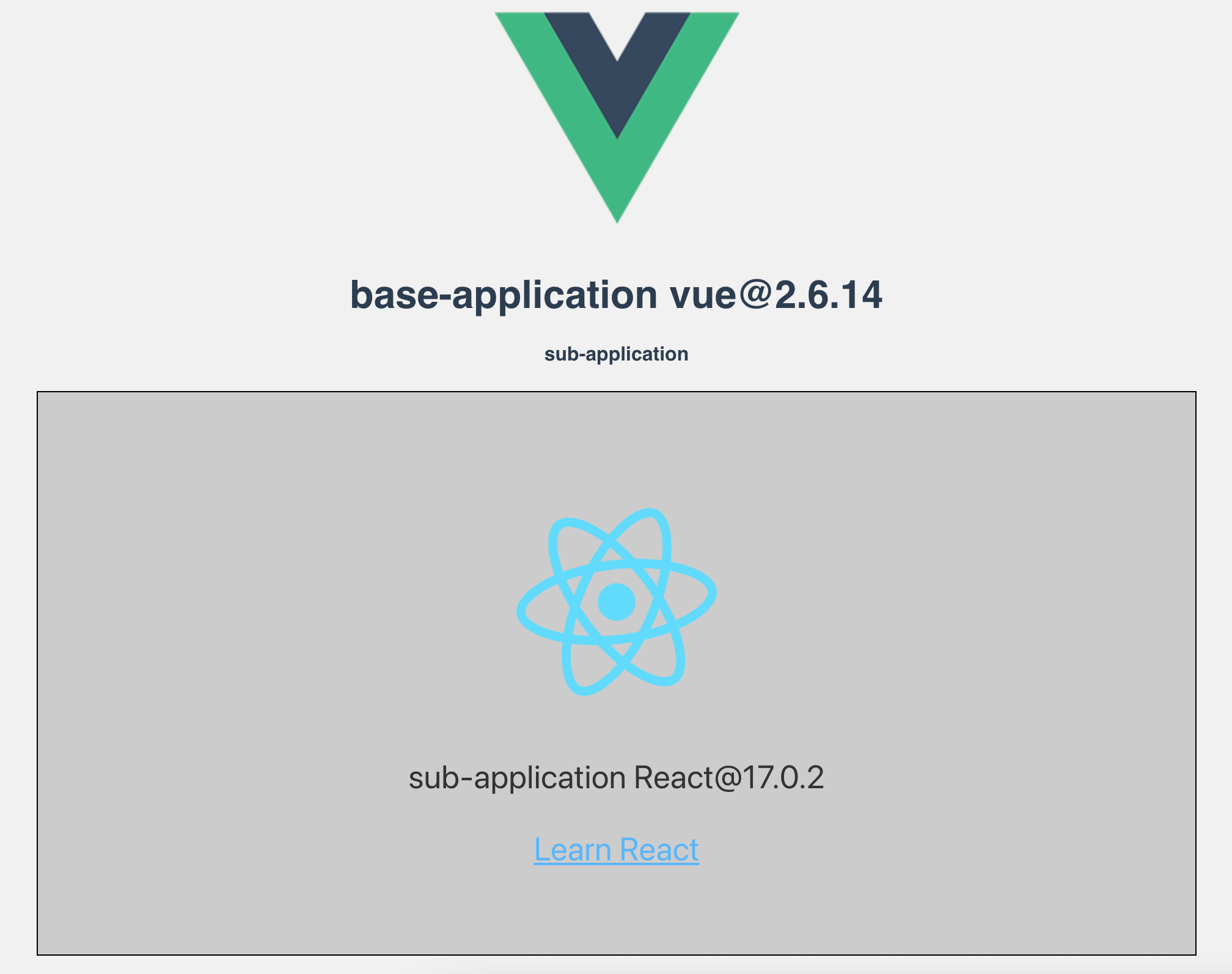
More detailed configuration can be viewed [Documentation](https://jd-opensource.github.io/micro-app/docs.html#/zh-cn/start).
# 🤝 Contribution
If you're interested in this project, you're welcome to mention pull request, and also welcome your "Star" ^_^
### development
1、Clone
```
git clone https://github.com/jd-opensource/micro-app.git
```
2、Install dependencies
```
yarn bootstrap
```
3、Run project
```
yarn start
```
For more commands, see [DEVELOP](https://github.com/jd-opensource/micro-app/blob/master/DEVELOP.md)
# FAQ
What are the advantages of micro-app?
It is easy to use and low invasive. It only needs to change a small amount of code to access the micro front-end, and provides rich functions at the same time.
How compatible?
The micro-app relies on two newer APIs, CustomElements and Proxy.
For browsers that do not support CustomElements, they can be compatible by introducing polyfills. For details, please refer to: [webcomponents/polyfills](https://github.com/webcomponents/polyfills/tree/master/packages/custom-elements)。
However, Proxy is not compatible for the time being, so the micro-app cannot be run on browsers that do not support Proxy.
Browser compatibility can be viewed: [Can I Use](https://caniuse.com/?search=Proxy)
The general is as follows:
- desktop: Except IE browser, other browsers are basically compatible.
- mobile: ios10+、android5+
Must micro applications support cross-domain?
yes!
If it is a development environment, you can set headers in webpack-dev-server to support cross-domain.
```js
devServer: {
headers: {
'Access-Control-Allow-Origin': '*',
},
}
```
If it is a production environment, you can support cross-domain through [Configuration nginx](https://segmentfault.com/a/1190000012550346).
Does it support vite?
Yes, please see [adapt vite](https://jd-opensource.github.io/micro-app/docs.html#/zh-cn/framework/vite) for details.
Does it support ssr?
Yes, please see [nextjs](https://jd-opensource.github.io/micro-app/docs.html#/zh-cn/framework/nextjs), [nuxtjs](https://jd-opensource.github.io/micro-app/docs.html#/zh-cn/framework/nuxtjs) for details.
# Contributors
 # License
[MIT License](https://github.com/jd-opensource/micro-app/blob/master/LICENSE)
# License
[MIT License](https://github.com/jd-opensource/micro-app/blob/master/LICENSE)