# FloatingX
**Repository Path**: Skymqq/FloatingX
## Basic Information
- **Project Name**: FloatingX
- **Description**: No description available
- **Primary Language**: Unknown
- **License**: MIT
- **Default Branch**: main
- **Homepage**: None
- **GVP Project**: No
## Statistics
- **Stars**: 0
- **Forks**: 0
- **Created**: 2025-12-15
- **Last Updated**: 2025-12-15
## Categories & Tags
**Categories**: Uncategorized
**Tags**: None
## README
# FloatingX

[](https://app.codacy.com/gh/Petterpx/FloatingX?utm_source=github.com&utm_medium=referral&utm_content=Petterpx/FloatingX&utm_campaign=Badge_Grade_Settings)
[](https://search.maven.org/search?q=g:io.github.petterpx%20AND%20a:floatingx)
[](https://ktlint.github.io/)
**FloatingX** is a flexible and powerful floating window solution.
[English Introduction](https://github.com/Petterpx/FloatingX/blob/main/README_EN.md)
[See detailed documentation here](https://cskf7l0wab.feishu.cn/wiki/wikcnLLBCe3fIDUTAzrEg754tzc)
[DeepWiki Fast QA](https://deepwiki.com/Petterpx/FloatingX)
## 👏 Features
- Supports **JetPack Compose**
- Supports **semi-hidden floating window mode**
- Supports **custom hide/show animations**;
- Supports **multi-touch**, precise touch gesture recognition;
- Supports custom history position saving and restoration;
- Supports **system floating window**, **in-app floating window**, **local floating window**;
- Supports **boundary rebound**, **edge hovering**, **boundary settings**;
- Supports setting floating window content in **layout** or **View** ways;
- Supports custom floating window display position, **supports auxiliary positioning**;
- Supports **blacklist and whitelist** functions to prevent floating window display on specific pages;
- Supports `kotlin` build extensions and is friendly compatible with `Java`;
- Supports display position [forced fix] to cope with special models (requires separate activation);
- Supports **local floating window**, which can be displayed in `ViewGroup`, `Fragment`, `Activity`;
- Comprehensive logging system, you can see different levels of Fx running processes when turned on, making it easier to find and solve problems.
## 👨💻 Dependency Method
### Gradle
```groovy
dependencies {
implementation 'io.github.petterpx:floatingx:2.3.7'
// System floating window && 使用 Compose 时需要导入
// AppHelper invoke enableComposeSupport()
implementation 'io.github.petterpx:floatingx-compose:2.3.7'
}
```
## 🏄♀️ Demo
| Full screen, activity, fragment, single view | Small screen display | Abnormal aspect ratio screen |
| ------------------------------------------------------------ | ----------------------
-------------------------------------- | ------------------------------------------------------------ |
|  | 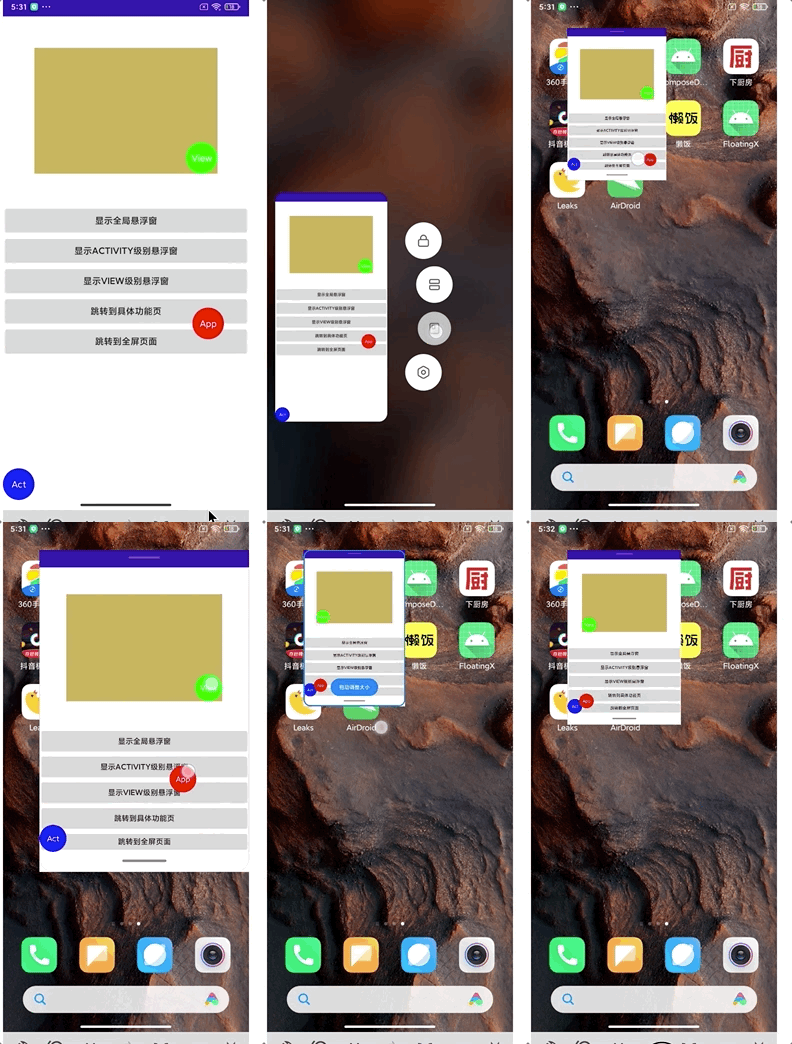 | 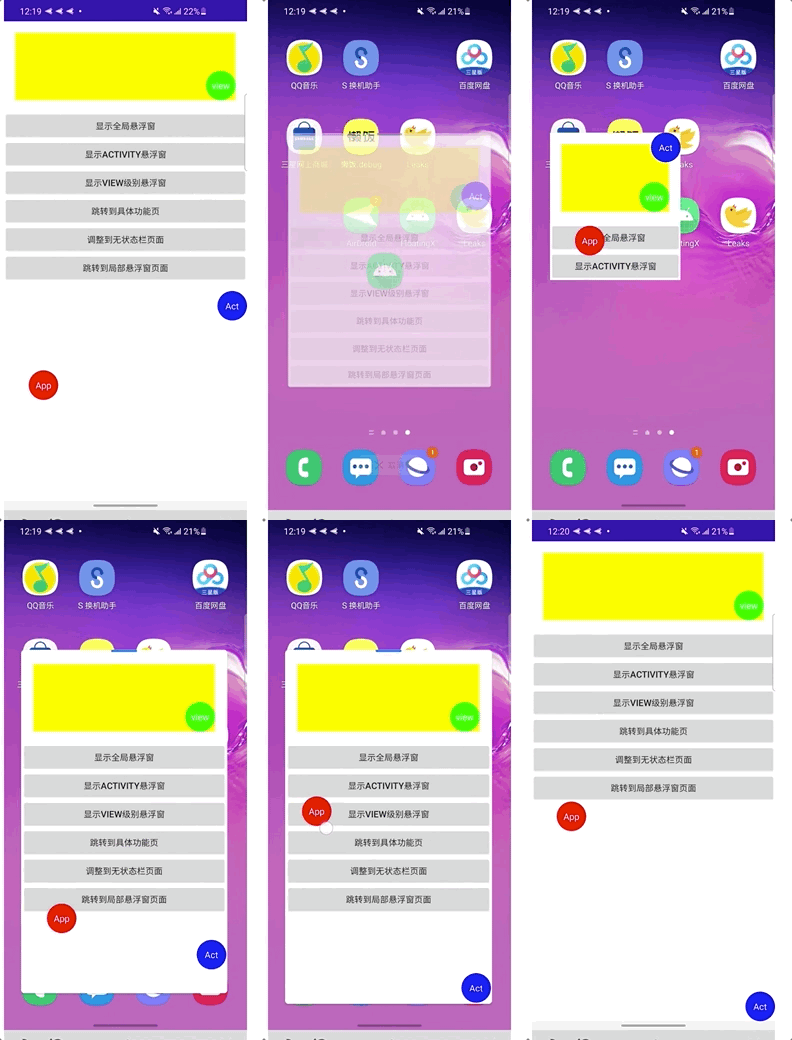 |
| Screen rotation | Feature demo | |
| ------------------------------------------------------------ | ------------------------------------------------------------ | ---- |
| 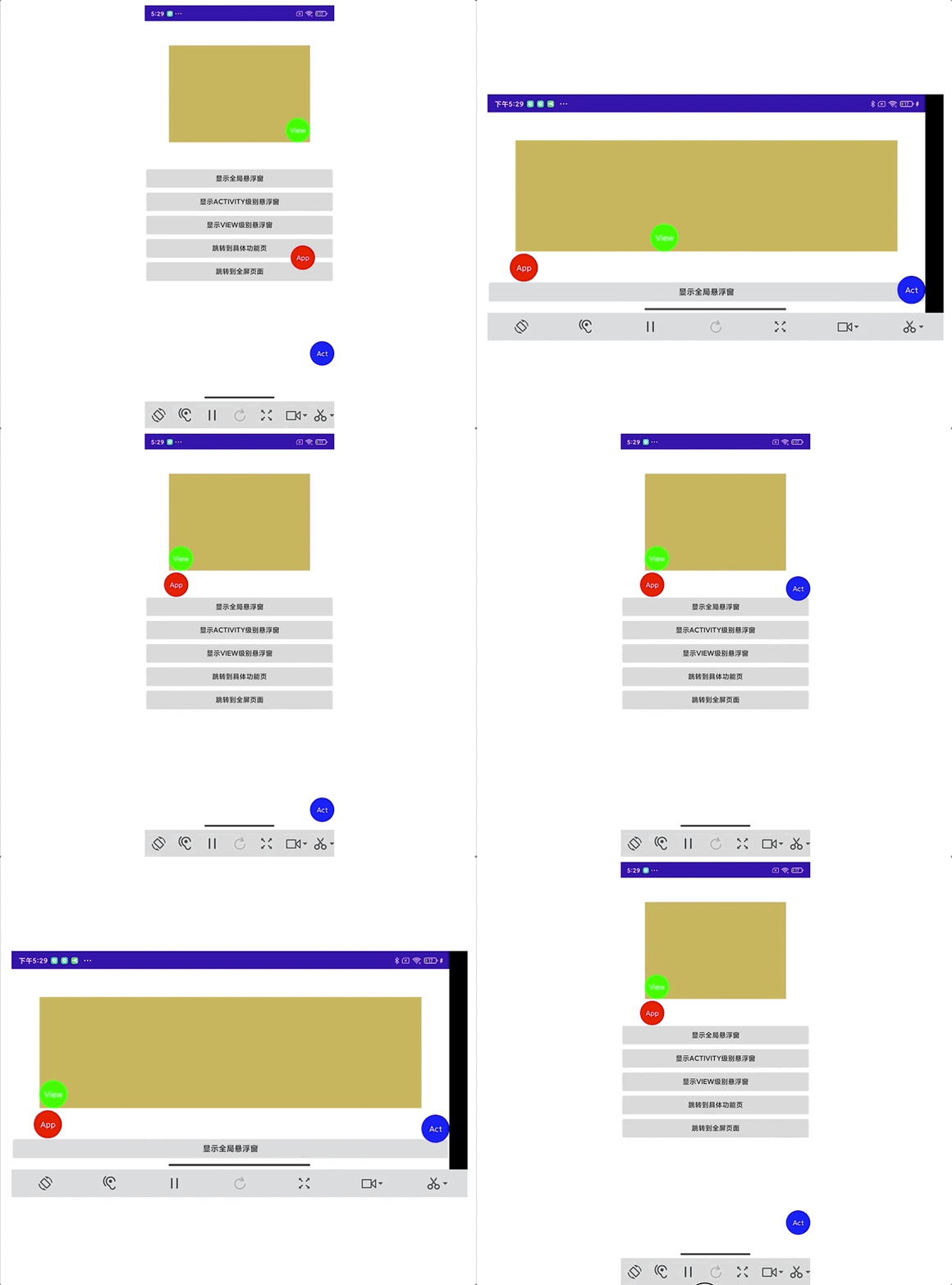 |  | |
### Comprehensive Log Viewer
Enable the log viewer to see the entire Fx running track, making it easier to find and track problems. Also supports custom log tags.
| App | Activity | ViewGroup |
| ------------------------------------------------------------ | ------------------------------------------------------------ | ------------------------------------------------------------ |
|  |  |  |
## 👨🔧 Usage
### Global Floating Window Management
**AndroidManifest (optional)**
```xml
// If not using system floating window, you can ignore this step (skip if FxScopeType.App)
```
**kt**
```kotlin
FloatingX.install {
setContext(context)
setLayout(R.layout.item_floating)
setScopeType(FxScopeType.SYSTEM_AUTO)
}.show()
```
**Java**
```java
AppHelper helper = AppHelper.builder()
.setContext(context)
.setLayout(R.layout.item_floating)
.setScopeType(FxScopeType.SYSTEM_AUTO)
.build();
FloatingX.install(helper).show();
```
### Local Floating Window Management
#### General Creation Method
**kt**
```kotlin
ScopeHelper.builder {
setLayout(R.layout.item_floating)
}.toControl(activity)
```
**kt & java**
```kotlin
ScopeHelper.builder()
.setLayout(R.layout.item_floating)
.build()
.toControl(activity)
.toControl(fragment)
.toControl(viewgroup)
```
#### Kotlin Extension Support
##### Create floating window in activity
```kotlin
private val scopeFx by createFx {
setLayout(R.layout.item_floating)
build().toControl(this/Activity)
}
```
##### Create floating window in fragment
```kotlin
private val activityFx by createFx {
setLayout(R.layout.item_floating)
build().toControl(this/Fragment)
}
```
##### Create floating window in viewGroup
```kotlin
private val activityFx by createFx {
setLayout(R.layout.item_floating)
build().toControl(this/Viewgroup)
}
```
## 🤔 Technical Implementation
> **System** level floating window is implemented based on `WindowsManager`. It globally holds a separate floating window `View` and inserts it into `WindowManager` at appropriate times by listening to `Activity` lifecycle through `AppLifecycle`.
> **App** level floating window is implemented based on `DecorView`. It globally holds a separate floating window `View` and inserts it into `DecorView` at appropriate times by listening to `Activity` lifecycle through `AppLifecycle`.
>
> **View** level floating window is based on the given `ViewGroup`.
>
> **Fragment** level floating window is based on its corresponding `rootView`.
>
> **Activity** level floating window is based on `DecorView`'s internal `R.id.content`.
Specific details are as follows:
 See my blog for more details: [Source Code Analysis | Activity-setContentView](https://juejin.cn/post/6897453195342610445)
Ps: Why should the app-level floating window be inserted into `DecorView` instead of **R.id.content** -> `FrameLayout`?
> Inserting into `DecorView` maximizes the floating window's freedom of movement, allowing it to be truly [`fullscreen`] draggable.
>
> Inserting into `content` limits its draggable range to **application view range**, affected by **status bar**, **bottom navigation bar**, and default `AppBar`. For example, if the user hides the status bar or navigation bar, the corresponding view size will change, affecting the floating window's position.
## 👍 Thanks
The initial implementation idea of the basic **floating window View** comes from [EnFloatingView](https://github.com/leotyndale/EnFloatingView)'s [FloatingMagnetView](https://github.com/leotyndale/EnFloatingView/blob/master/floatingview/src/main/java/com/imuxuan/floatingview/FloatingMagnetView.java), which was thoroughly refactored and evolved.
The measurement code for the navigation bar comes from Wenlu and has been further adapted to cover 95% of the market models. It can be said to be the only tool that can accurately measure the navigation bar.
## About Me
Welcome to follow my public account and look forward to progressing together. If you have any usage problems, you can also add me on WeChat.
**WeChat**: **Petterpx**

See my blog for more details: [Source Code Analysis | Activity-setContentView](https://juejin.cn/post/6897453195342610445)
Ps: Why should the app-level floating window be inserted into `DecorView` instead of **R.id.content** -> `FrameLayout`?
> Inserting into `DecorView` maximizes the floating window's freedom of movement, allowing it to be truly [`fullscreen`] draggable.
>
> Inserting into `content` limits its draggable range to **application view range**, affected by **status bar**, **bottom navigation bar**, and default `AppBar`. For example, if the user hides the status bar or navigation bar, the corresponding view size will change, affecting the floating window's position.
## 👍 Thanks
The initial implementation idea of the basic **floating window View** comes from [EnFloatingView](https://github.com/leotyndale/EnFloatingView)'s [FloatingMagnetView](https://github.com/leotyndale/EnFloatingView/blob/master/floatingview/src/main/java/com/imuxuan/floatingview/FloatingMagnetView.java), which was thoroughly refactored and evolved.
The measurement code for the navigation bar comes from Wenlu and has been further adapted to cover 95% of the market models. It can be said to be the only tool that can accurately measure the navigation bar.
## About Me
Welcome to follow my public account and look forward to progressing together. If you have any usage problems, you can also add me on WeChat.
**WeChat**: **Petterpx**
